From order
to a working plan.
SmartInterop × Manufacturing
AI ERP & production planning
Connecting inventory, orders, and factory capacity so a manufacturing team can spend less time planning and deliver more orders on time.
Reported: 4 hours less daily planning. 7% fewer late orders.- Client
- Manufacturing company in Asia
- Industry
- Automobile parts
- Our work
- Workflow design · Planning software · AI integration
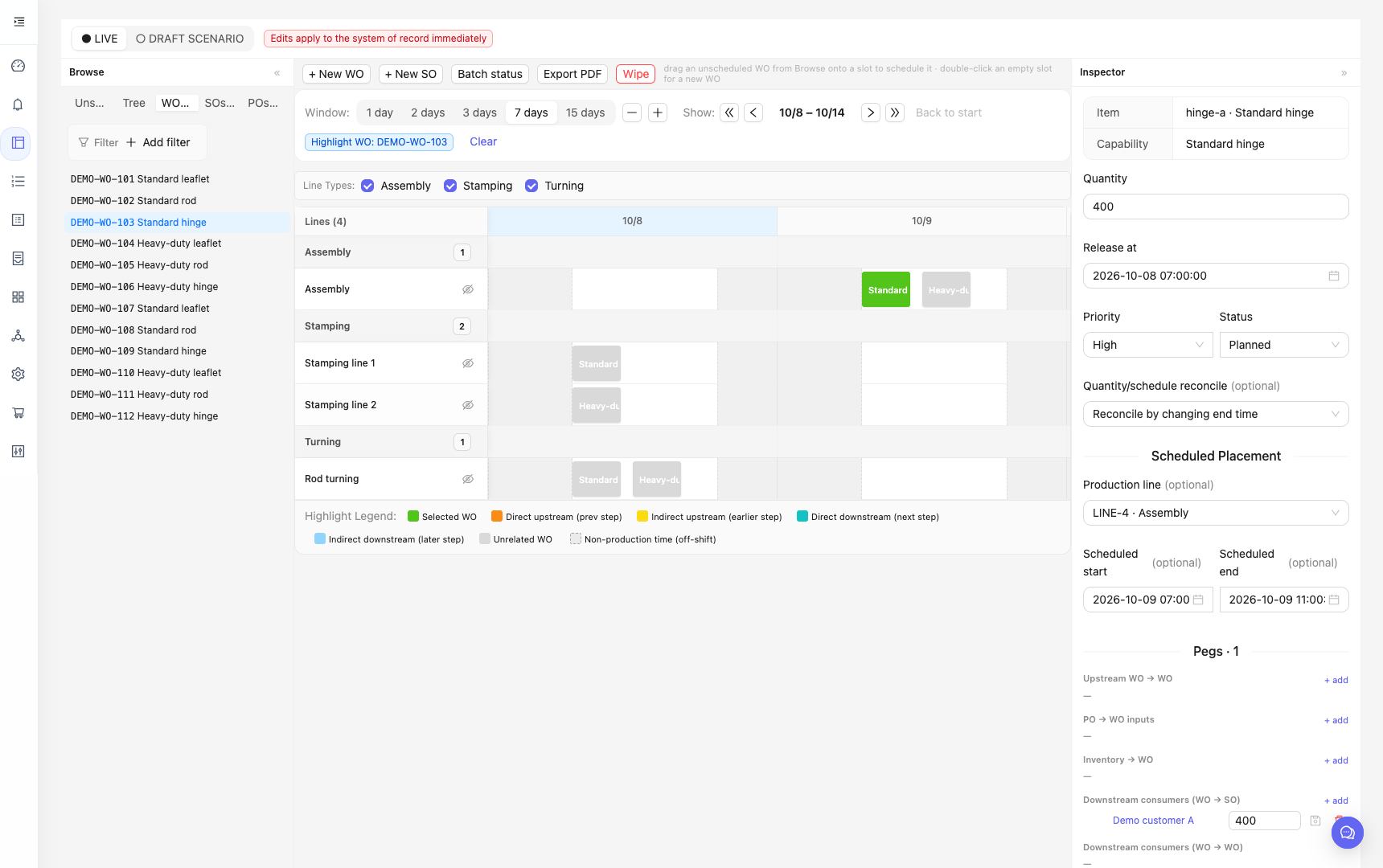
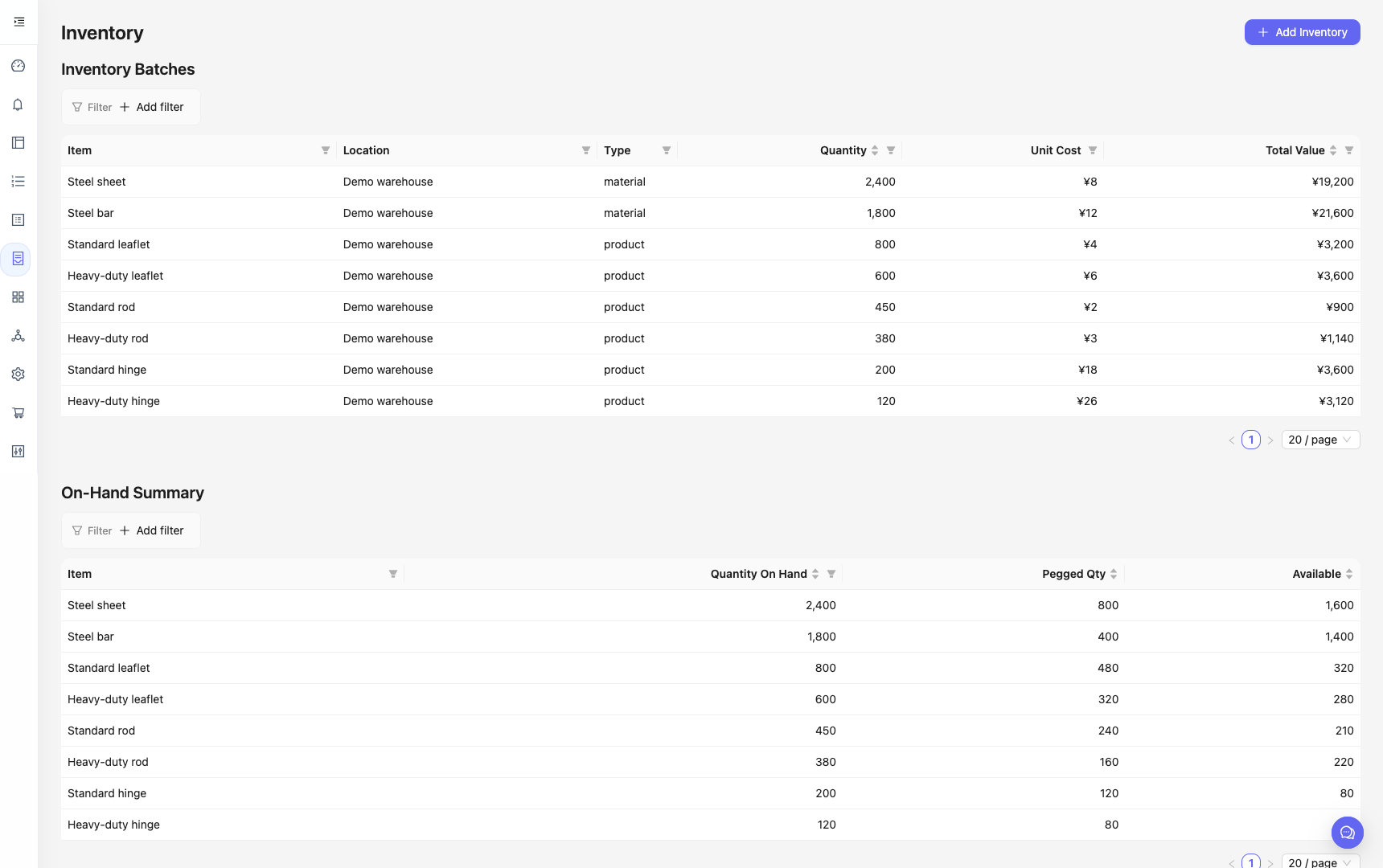
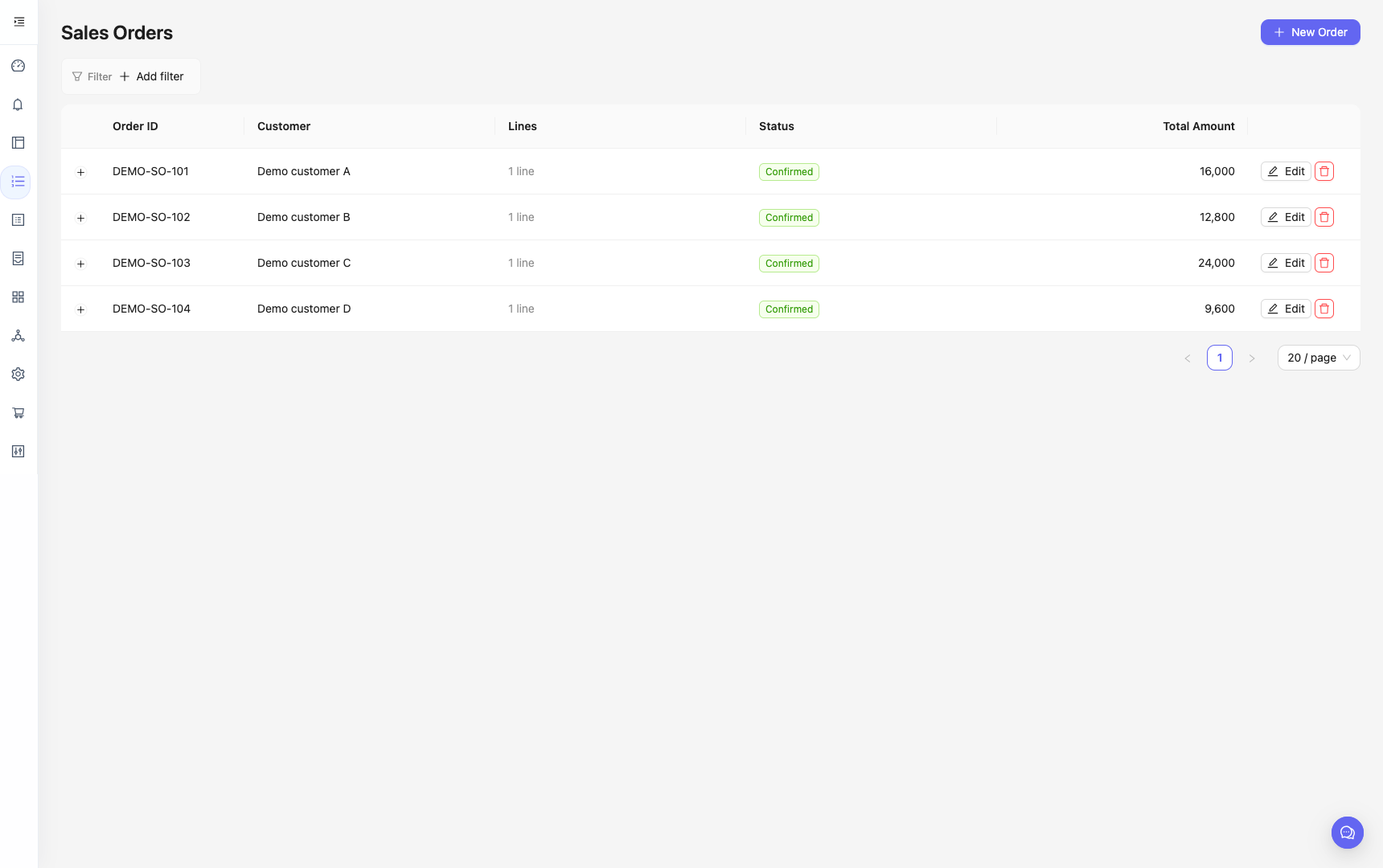
Inside the planning workspace.
ACTUAL PRODUCT INTERFACEEnglish interface · Synthetic demonstration data. The schedule shown is illustrative.
One connected planning workflow.
EXPLORE THE SYSTEM ↓Cover demand before creating work.
- Available inventory
- 200 units
- Committed production
- 300 units
- Remaining demand
- 500 units
Use what is available.
Plan what is missing.
The material planner connects each order to its supply. It uses bills of materials to identify the work and purchases needed for uncovered demand.
A plan that accounts
for the factory.
The scheduler considers calendars, maintenance, production dependencies, incoming materials, and modeled tooling limits. Order priority affects the cost assigned to a delay.
“What changes if this order becomes more urgent?”
- 01Examine the effect
Run the planning tools on a scenario.
- 02Inspect the proposal
Review the captured changes.
- 03The planner decides
Approve or reject the proposal.
AI helps explore.
People decide what changes.
The assistant connects everyday questions to planning tools. Users can keep a scenario as a draft and inspect proposed operational changes before approval.
Every order sets
other work in motion.
The team had to turn inventory, incoming materials, and production commitments into a workable daily schedule.
Available inventory may already be reserved. A purchase can arrive too late for an operation. Moving urgent work can affect the delivery dates of other orders.
These decisions depend on each other. The planning task was to connect them, see what demand was already covered, and calculate where the remaining work could fit.
Connect the decisions.
Make the plan visible.
We built a shared workspace for work order scheduling and inventory planning, with AI assistance inside the workflow.
- 01
Match orders to supply
Connect customer demand to inventory, eligible production, and incoming purchases. Preserve committed allocations before planning new requirements.
- 02
Calculate a production schedule
Use a constraint solver to place work around capacity, calendars, dependencies, and changeovers. Give delivery delays different weights according to order priority.
- 03
Give the planner a connected view
Link the demand tree, production calendar, and record details. Let the team inspect a draft scenario and return to saved planning sessions.
- 04
Make AI changes reviewable
Capture a proposed change for approval. Check affected records for concurrent edits before applying it, so an outdated proposal can be stopped.
Planning rules calculate requirements. The solver calculates the schedule. AI helps the user explore and understand the result.
Less time planning.
Fewer late orders.
The engagement reports improvements in both planning effort and delivery performance.
- Daily planning effort
- 4 hours less
Time available for exceptions, supplier coordination, and delivery decisions.
- Late orders
- 7% fewer
Fewer orders missing their delivery commitment, as clarified by the project owner.
Reported engagement results. The measurement period and comparison data have not been supplied. Time released is staff capacity, not an automatic payroll saving.
Further measures of business value
These are additional measures to track. Values are intentionally blank; no result is claimed.
- Replanning time after a disruption
- Not measuredminutes
- Material-related stoppages
- Not measuredhours
- Schedule adherence
- Not measured%
- Average inventory value
- Not measuredchange
- Expedited freight cost
- Not measuredchange
04 / THE SMARTINTEROP CAPABILITY
From understanding
the work to building
the system.
This project brings together manufacturing rules, connected business data, optimization, interface design, and AI tools.
For your business, that means one team can examine a costly workflow, build the software around its real constraints, and define how to measure the result.
- Process & data modeling
- Custom planning software
- AI tool integration
- English & Chinese interface
START WITH YOUR WORKFLOW
What is slowing
your team down?
Let’s connect the data, decisions, and systems behind it.
See how we build systems